17.linux_shell入门
Linux Shell入门
Linux shell 脚本是系统管理员用来自动执行日常重复性任务的强大工具。
Shell简介
- 什么是 Shell?
- 它就像一个容器
- 用户和内核/操作系统之间的接口
- CLI 是一个 Shell
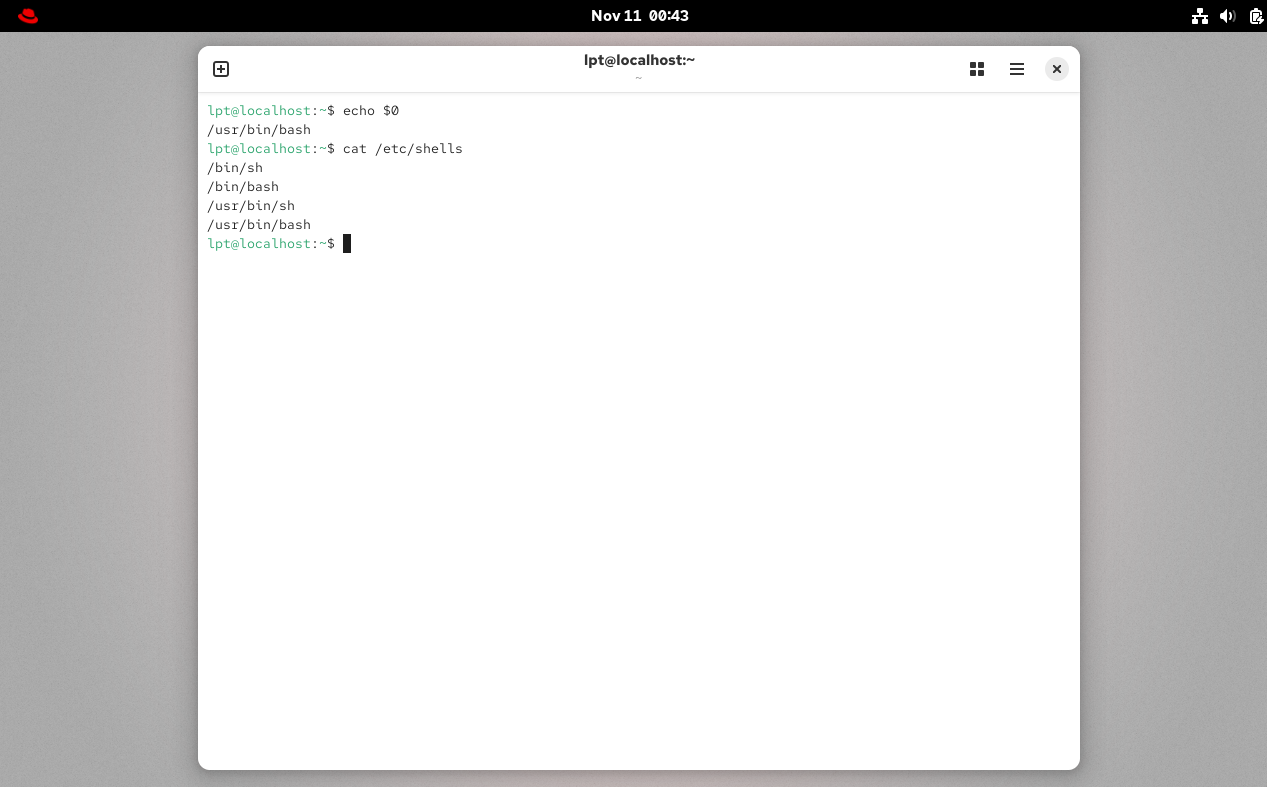
- 查找您的 Shell
echo $0- 可用的 Shell “
cat /etc/shells”![VirtualBoxVM_KGa19AcOH9.png]()
- 那些用户们的 Shell?
/etc/passwd(如果这个文件里面的内容是什么你忘记了,那你就应该要复习了)
- Windows GUI 是一个 shell
- Linux KDE GUI 是一个 shell
- Linux sh、bash 等都是 shell
Shell脚本
- 什么是 Shell 脚本?
- shell 脚本是一个可执行文件,其中包含按顺序执行的多个 shell 命令。该文件可以包含:
- Shell (
#!/bin/bash) - 注释 (
# comments) - 命令 (
echo,cp,grep等) - 语句 (
if,while,for等)
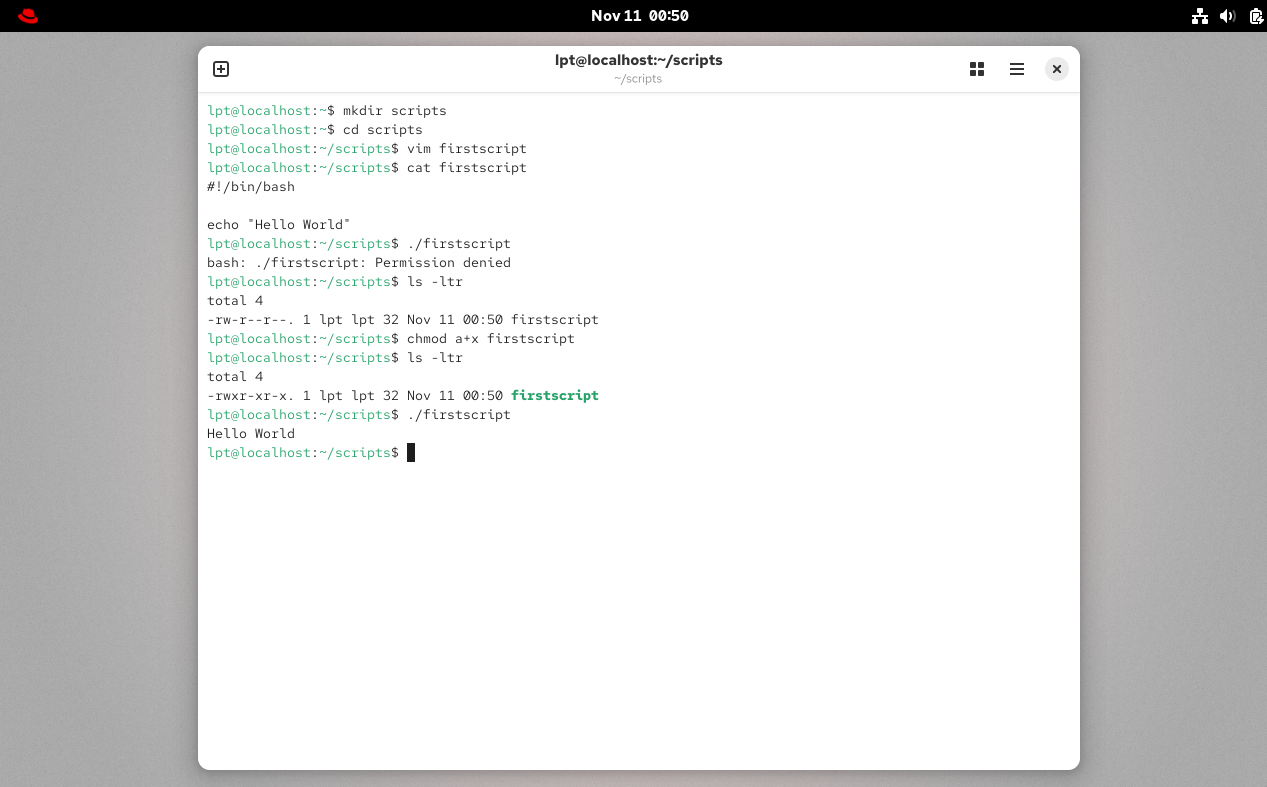
- Shell 脚本应具有可执行权限(例如
-rwxr-xr-x) - Shell 脚本可以从绝对路径调用(例如
/home/userdir/script.bash) - 如果从当前位置调用,则为
./script.bash
 、
、
这个例子就是想要告诉你,你需要赋予该脚本文件可执行权限。
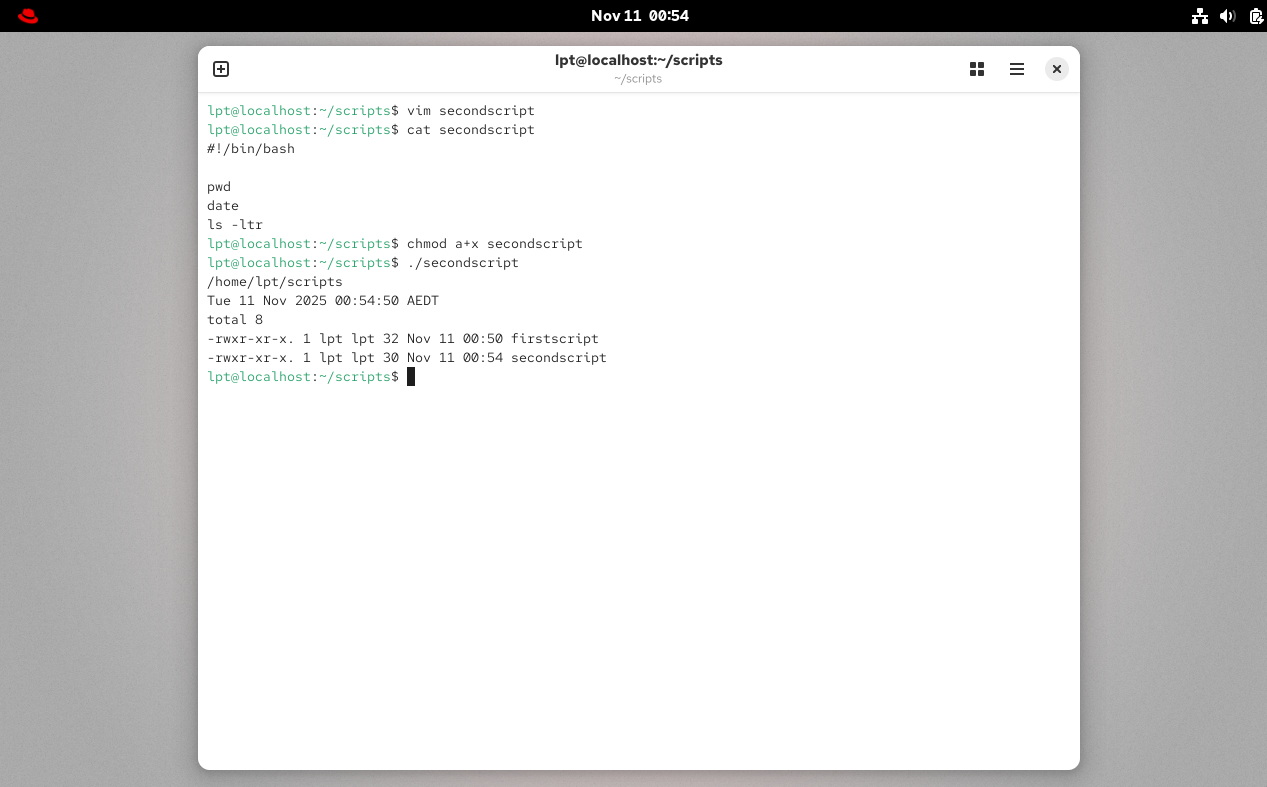
我们再写一个别的试试看?
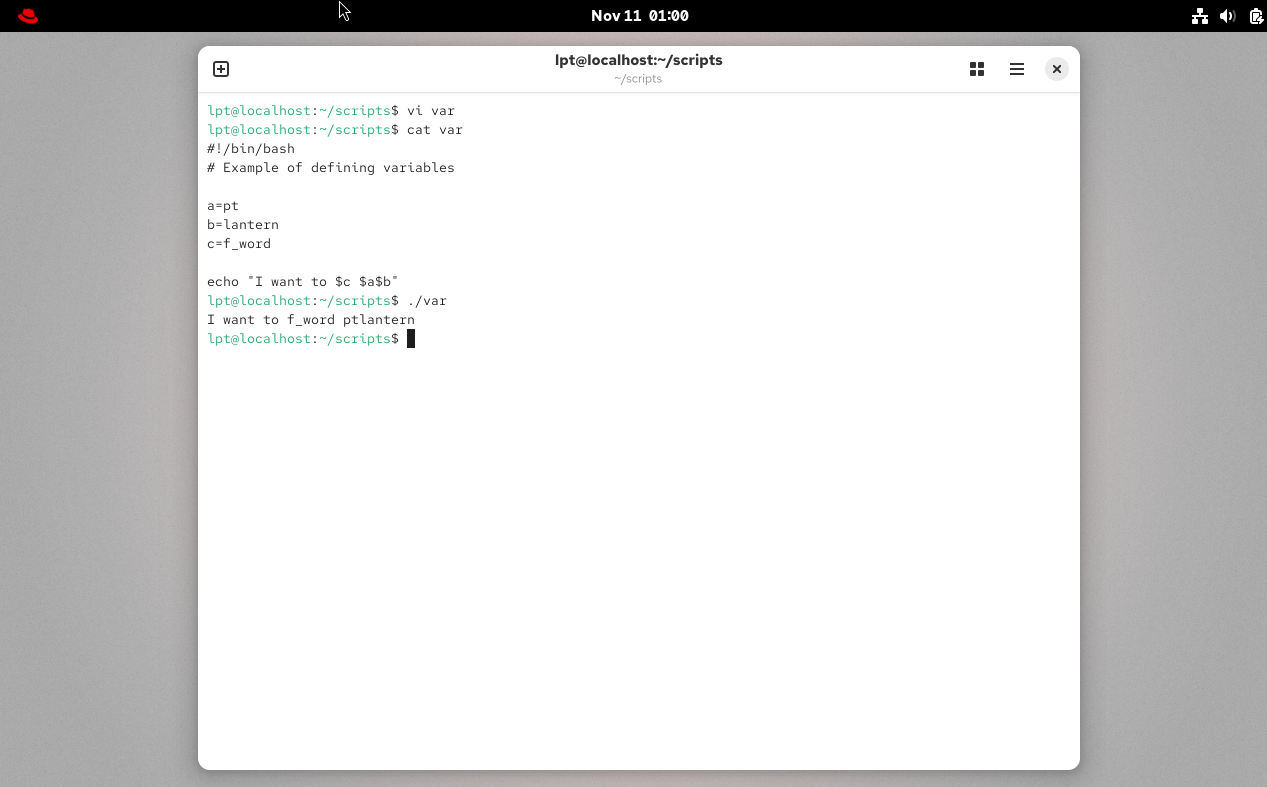
Shell 变量例
Shell 获取用户输出
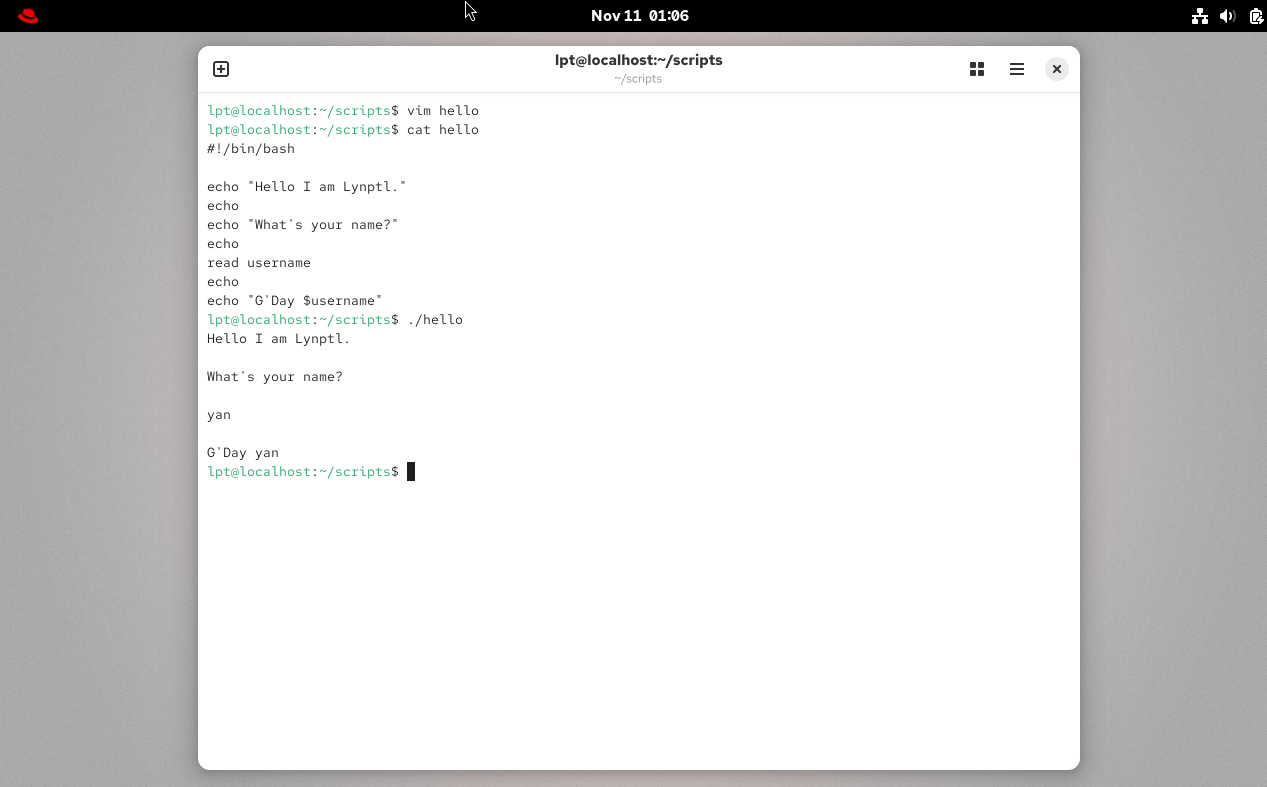
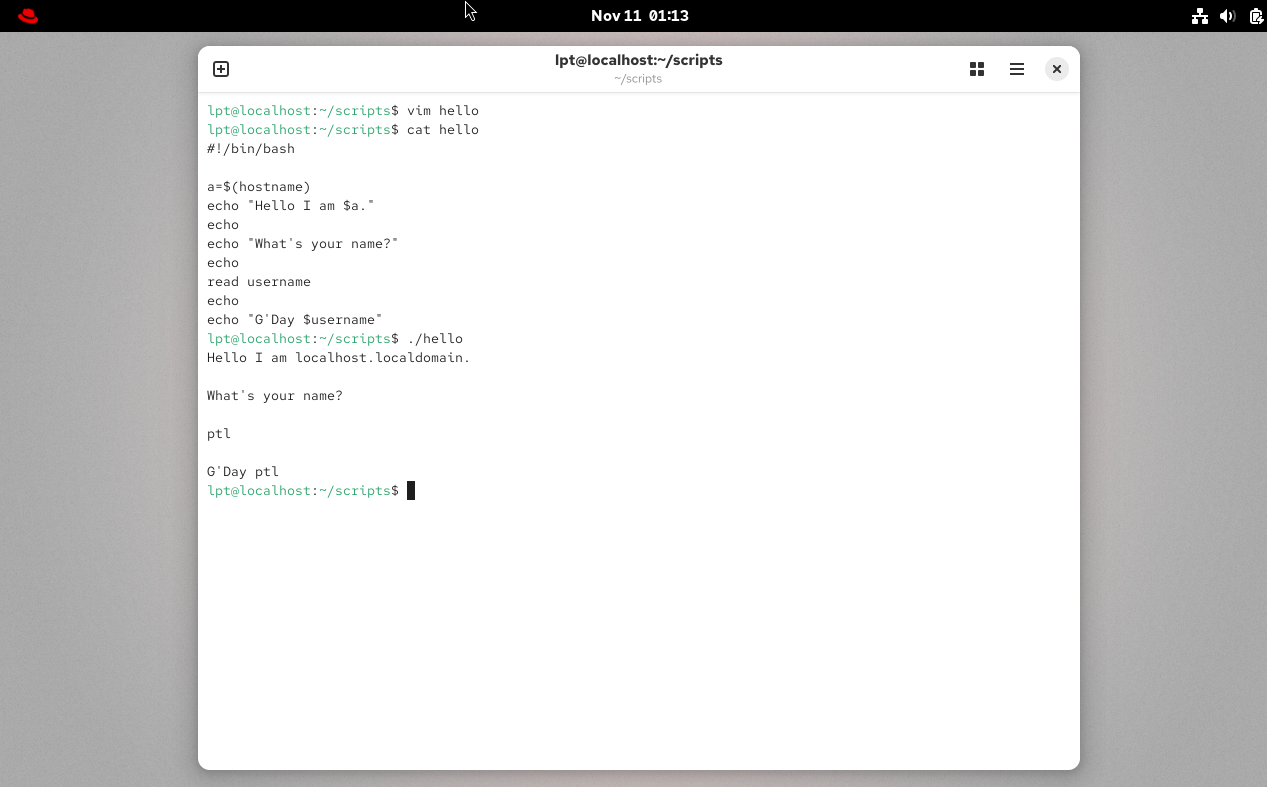
shell是空格敏感的,建议定义变量的时候等号左右两边不要有任何空格。
Shell 脚本 - 基本脚本
- 使用
echo输出到屏幕 - 创建任务
- 告诉您的 id、当前位置、您的文件/目录、系统信息
- 创建文件或目录
- 输出到文件 “
>”
- 通过脚本过滤/文本处理器 (
cut,awk,grep,sort,uniq,wc)
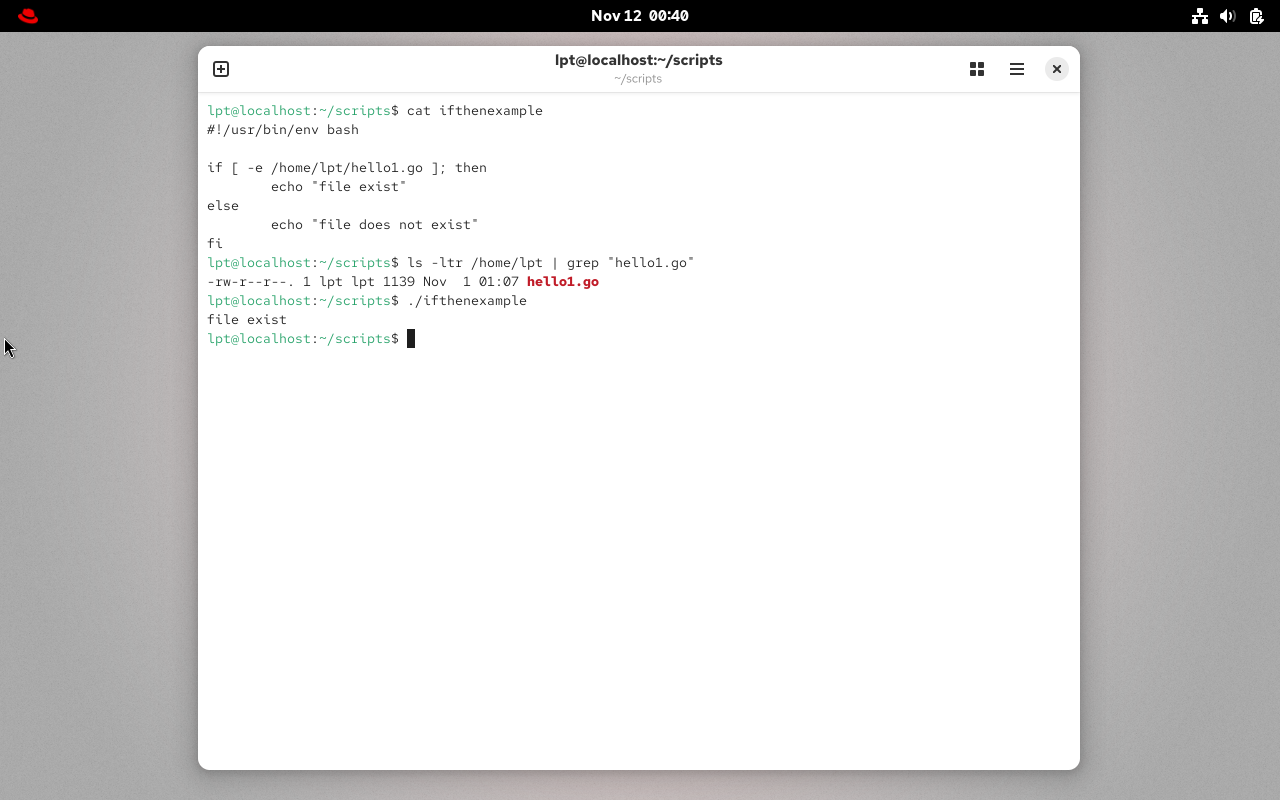
if-then 脚本
- If then 语句
If this happens = do thisOtherwise = do that
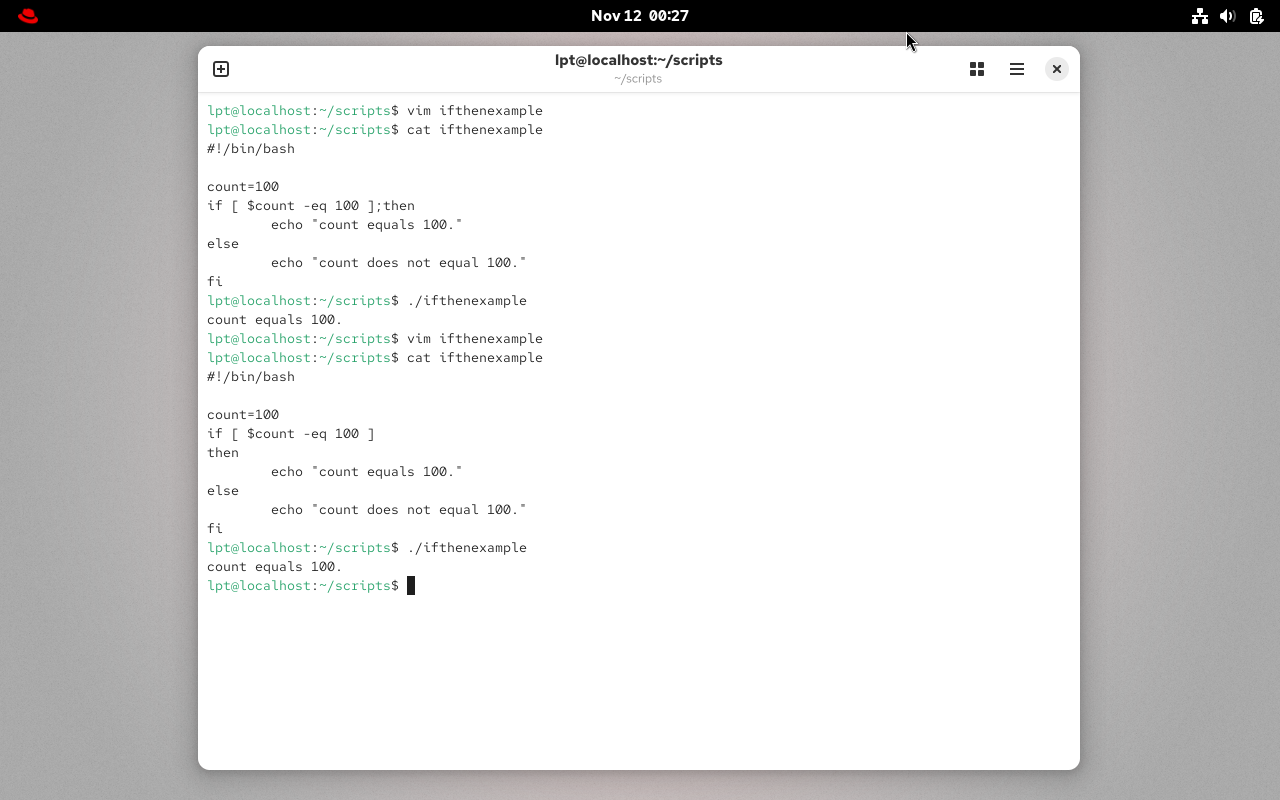
我们再随便写一个别的例子:
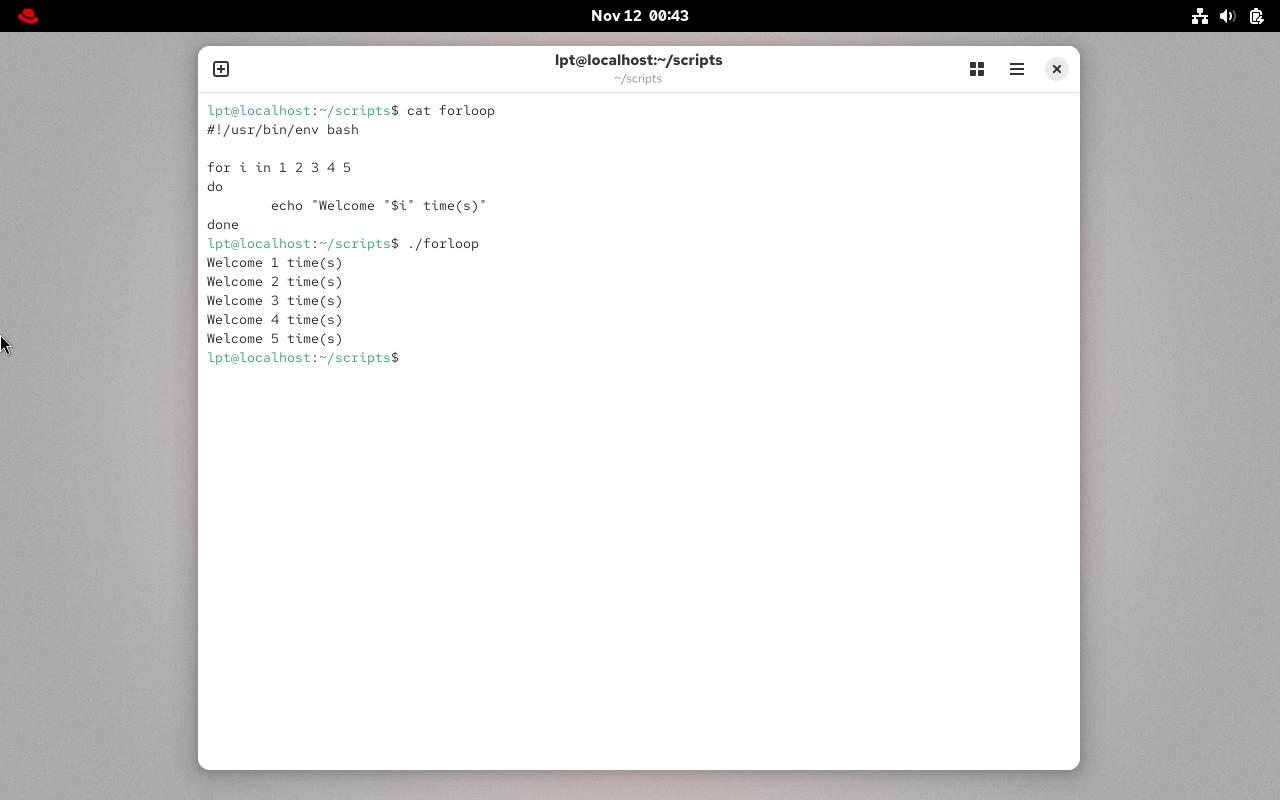
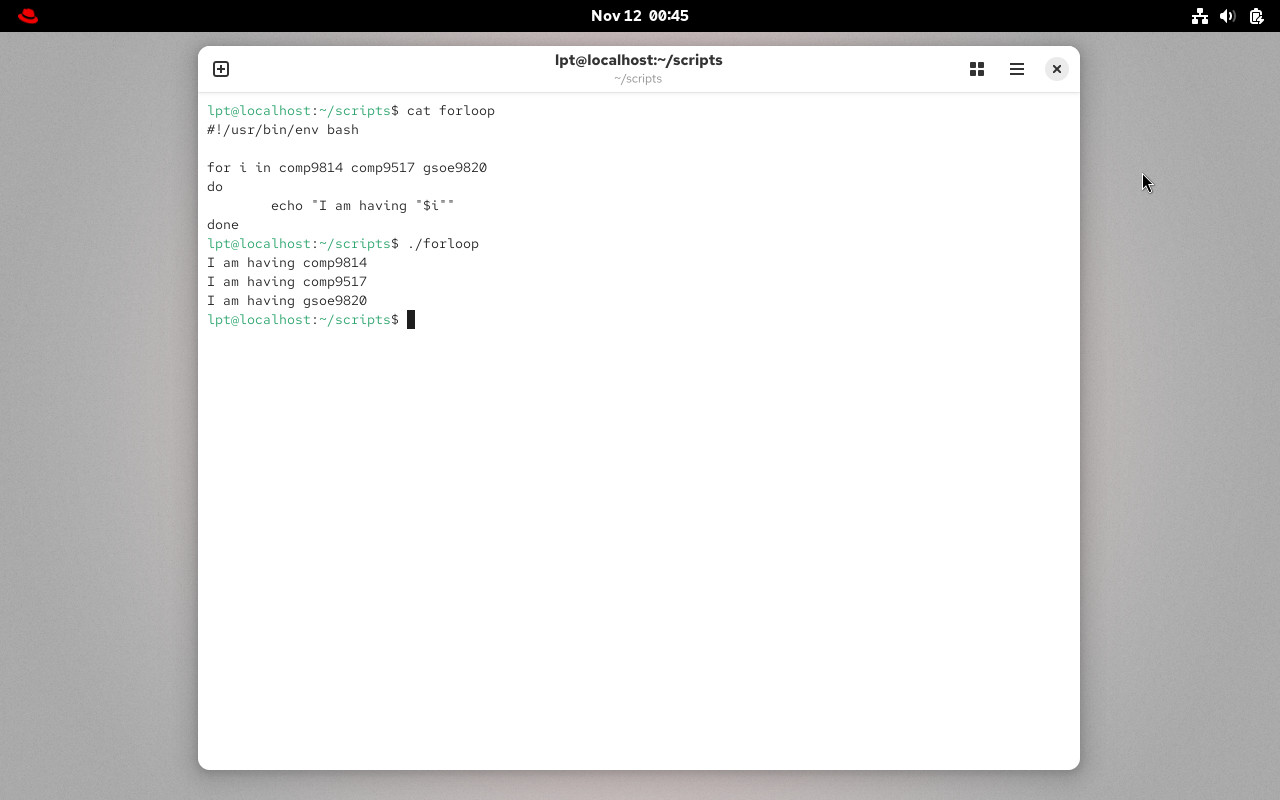
For-Loop 脚本
- For 循环
Keep running until specified number of variablee.g: variable = 10 then run the script 10 timesORvariable = green, blue, red (then run the script 3 times for each color.
grep/egrep - 文本处理器命令
- 什么是 grep?
- grep 命令代表“全局正则表达式打印”,它逐行处理文本并打印与指定模式匹配的任何行
grep --version或grep --help= 检查版本或帮助grep keyword file= 从文件中搜索关键字grep -c keyword file= 搜索关键字并计数grep -i KEYword file= 搜索关键字忽略大小写grep -n keyword file= 显示匹配的行及其行号grep -v keyword file= 显示除关键字外的所有内容grep keyword file | awk '{print $1}'= 搜索关键字然后只给出第一个字段ls -l | grep Desktop= 这个你肯定知道什么意思egrep -i "keyword|keyword2" file= 搜索 2 个关键字。
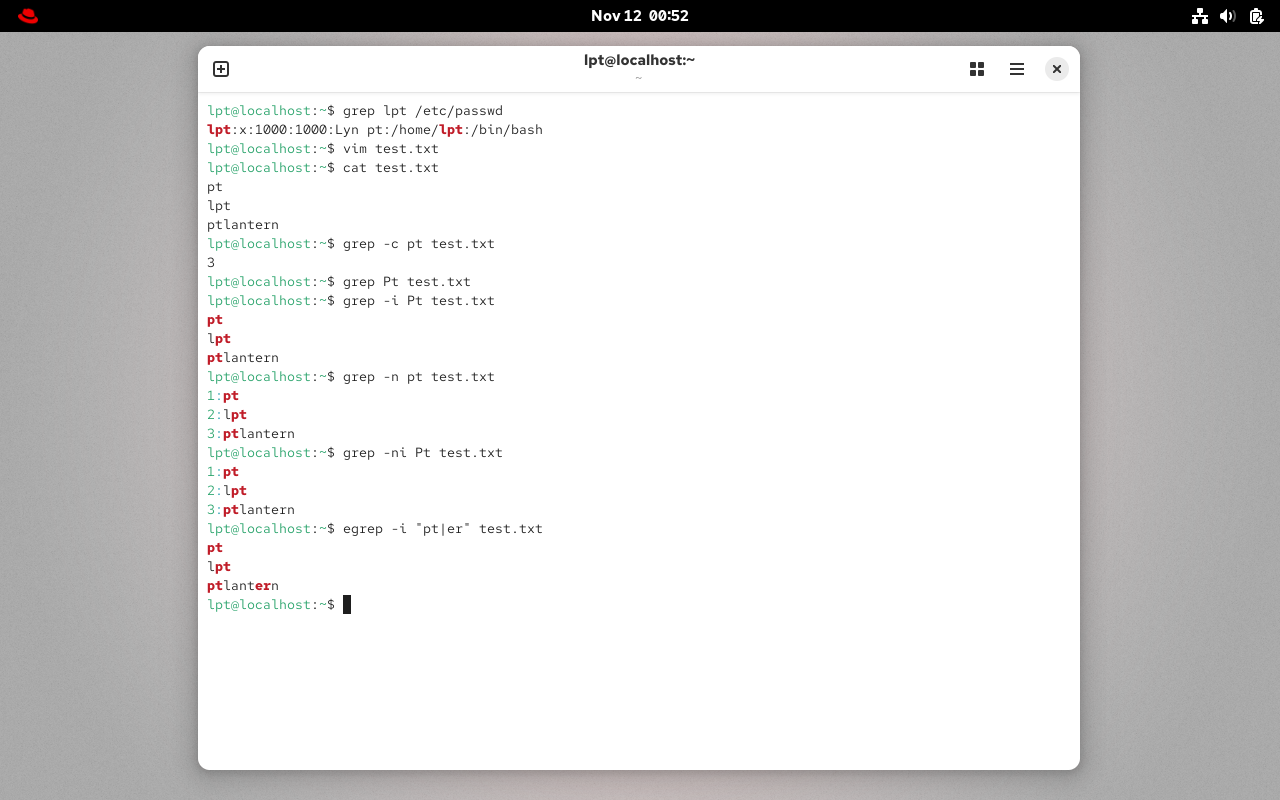
你可以将这些选项组合使用,请问你-vi选项是什么意思呢?